

Introduction
Making websites fast and smart is crucial nowadays. If you run a WordPress blog, you have probably heard the term “Webhook” at some point. Webhooks connect your website to other apps and software, automating tasks and saving you countless hours of manual work.
In this post, we will explain in simple terms what a webhook is, how it works, and how you can use it on your WordPress blog.
What is a Webhook?
In simple terms, a webhook is an automated message or signal sent from one website to another when a specific event occurs.
Let’s understand this with an example:
Imagine you send a courier package. You don’t call the courier company repeatedly to ask, “Where is my parcel?” Instead, the company sends you an SMS automatically when your packet is delivered.
- Here, the courier company’s SMS acts like a “Webhook.”
- Asking for information repeatedly is called API Polling (which is slow and consumes resources), while being automatically notified when an event happens is called a Webhook.
Why Are Webhooks Important for Your WordPress Blog?
You can automate numerous tasks on your blog using webhooks. Here are a few examples:
- Auto-Publishing: If you use tools like Make or Zapier, you can set up a workflow where a webhook is sent to WordPress to automatically publish a post whenever content is ready.
- Email Marketing: When a new user registers on your blog, a webhook can automatically signal Mailchimp or another email tool to send a welcome email.
- Slack/Telegram Notifications: Whenever a new comment is posted or an article goes live, you can get an instant message on Telegram or Slack.
- Payment Gateways: Automatically update order statuses when a payment is received via gateways like Razorpay or Stripe.
How to Set Up Webhooks in WordPress?
There are two easy ways to set up webhooks in WordPress. Even if you don’t know how to code, you can easily implement them:
Method 1: Using a Plugin (No Coding Required)
If you aren’t comfortable with coding, you can use the WP Webhooks plugin.
- Go to your WordPress dashboard and click on Plugins > Add New.
- Search for “WP Webhooks,” then install and activate it.
- After activation, go to Settings > WP Webhooks.
- Here, you will find a Webhook URL that you can use in another app (like Zapier) to send or receive data.
Method 2: Custom Code (For Developers)
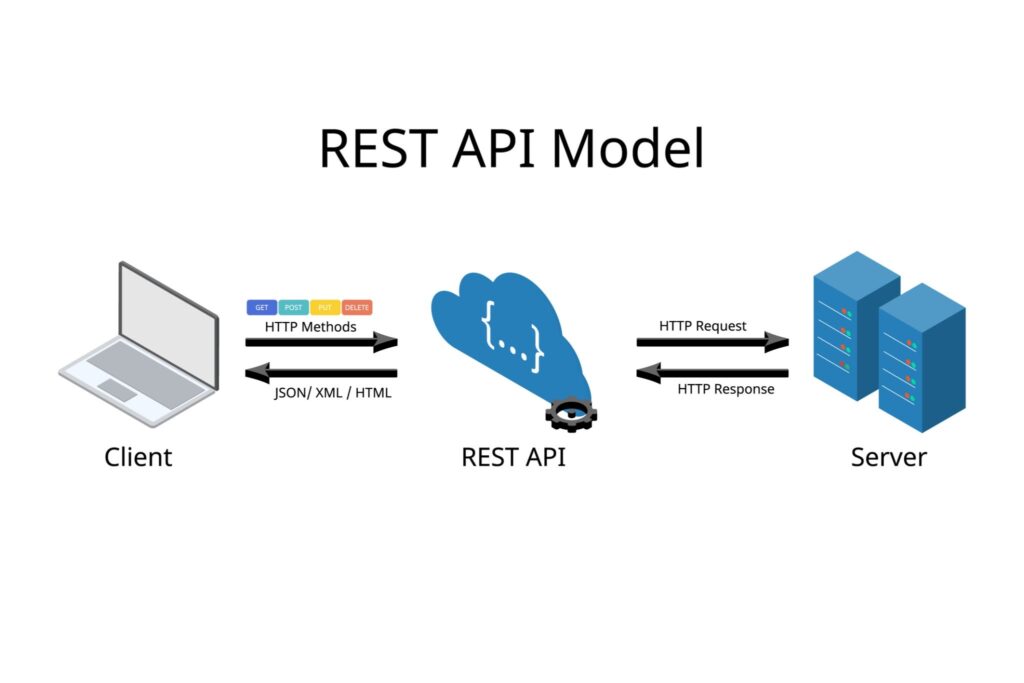
If you are a developer or need a custom feature, you can create your own webhook endpoint using the WordPress REST API. This requires adding code to your theme’s functions.php file using the register_rest_route() function.
How to Test Webhooks?
After setting up a webhook, it is crucial to test it to ensure data is being transmitted correctly. You can use free tools like Postman or Hookbin. Simply send dummy JSON data to your webhook URL and check if the result reflects correctly on your WordPress dashboard.
Conclusion
Webhooks make your WordPress website incredibly smart and efficient. They eliminate manual work, save time, and reduce human errors. Whether you are a blogger, run an ecommerce site, or build custom web apps, webhooks are the best tool for automation.
If you feel your blog needs automation, start exploring webhooks today!