

Introduction
Running an e-commerce store like Shopify involves managing hundreds of moving parts—from processing orders and updating inventory to handling shipping and customer data. Doing all this manually is impossible if you want to scale. This is where Webhooks come in.
If you use Shopify, webhooks can connect your store to external apps and automate your workflow instantly. In this post, we will explain what Shopify webhooks are, why they are crucial for your store, and how you can set them up in just a few minutes.
What is a Webhook?
In simple terms, a webhook is an automated message sent from one app to another when a specific event happens. Instead of you or your software constantly checking Shopify for new orders (which is slow and wastes server resources), Shopify will instantly “push” a message to your other apps the second an event occurs.
Let’s understand this with an example:
Imagine a customer places an order on your Shopify store. Instead of you refreshing your dashboard every 5 minutes to check for new orders, Shopify immediately sends a webhook to your fulfillment app or accounting software, telling them: “Hey, a new order was just placed! Here are the details.”
Why Are Webhooks Important for Your Shopify Store?
Webhooks are the backbone of e-commerce automation. Here are the most common ways Shopify store owners use them:
- Order Fulfillment: When a customer pays, a webhook instantly notifies your 3PL (Third-Party Logistics) provider or shipping software (like ShipStation) to pack and ship the item.
- Inventory Management: If an item goes out of stock, a webhook can immediately update your eBay, Amazon, or ERP system to prevent overselling.
- CRM & Email Marketing: When a new customer registers or abandons their cart, a webhook triggers your email marketing tool (like Klaviyo or Mailchimp) to send a targeted welcome email or cart recovery sequence.
- Accounting & Invoicing: Automatically send order data to QuickBooks or Xero to generate invoices without lifting a finger.
How to Set Up Webhooks in Shopify?
Setting up webhooks in Shopify is surprisingly easy and doesn’t always require coding. There are two main ways to do it:
Method 1: Using Shopify Admin (No Coding Required)
If you are using third-party apps (like Zapier, Make, or a shipping app), they often generate a webhook URL for you. You just need to paste that URL into Shopify.
- Log in to your Shopify Admin dashboard.
- Go to Settings (the gear icon at the bottom left) and click on Notifications.
- Scroll all the way down to the Webhooks section.
- Click the Create a webhook button.
- Select the Event you want to trigger the webhook (e.g., “Order creation”, “Order payment”, “Product update”).
- Choose the format (usually JSON).
- Paste the URL provided by your external app where the data should be sent.
- Click Save. Shopify will send a test webhook to that URL immediately so you can verify it works!
Method 2: Using the Shopify API (For Developers)
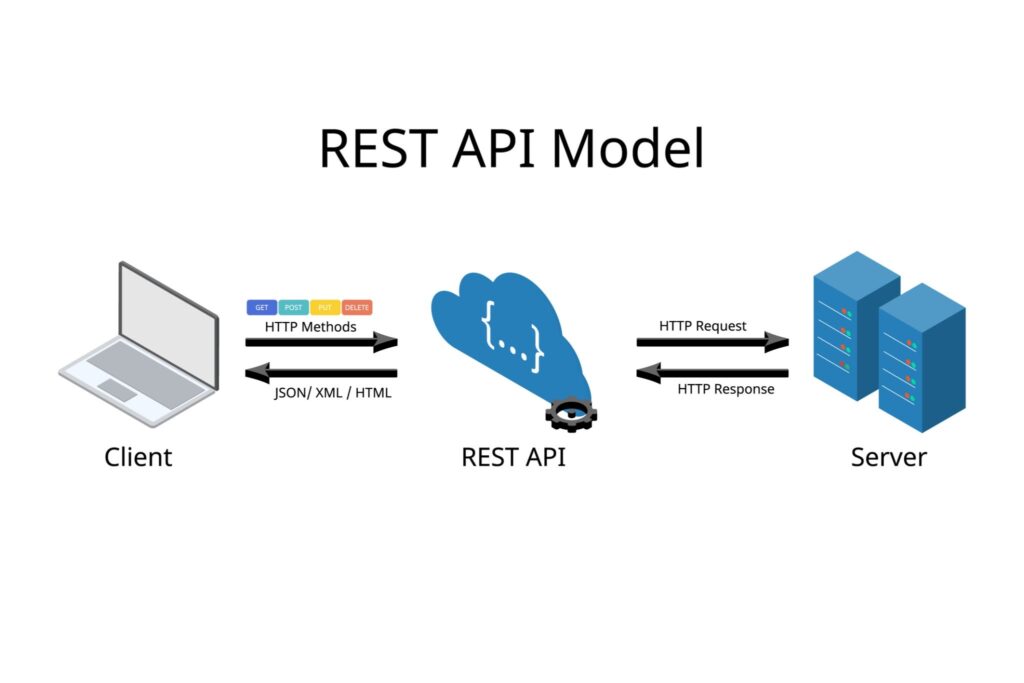
If you have a custom-built backend or app, you can create webhooks programmatically using the Shopify Admin REST API or GraphQL API. This is useful if you are building a custom app for a client and need to subscribe to specific events like orders/create or inventory_levels/update.
How to Test Shopify Webhooks?
Testing webhooks is critical to ensure your store’s automation runs smoothly. You don’t want to miss a customer’s order because of a broken link!
To test webhooks safely without messing with real customer data, you can use tools like RequestBin or Postman. They generate a temporary dummy URL. You paste this dummy URL into Shopify’s webhook settings. Then, place a test order on your Shopify store. The tool will capture the data Shopify sends, allowing you to see exactly what the JSON payload looks like before connecting it to your live software.
Conclusion
Webhooks turn your Shopify store into a fully automated, high-performing machine. By instantly communicating with your shipping, marketing, and accounting tools, webhooks eliminate manual data entry, reduce human error, and let you focus on growing your business. Whether you are a store owner using Zapier or a developer building a custom app, understanding webhooks is a game-changer for Shopify success.
If you haven’t automated your store yet, set up your first Shopify webhook today!